Custom WordPress Theme vs Page Builder: The Long-Term View

Contents
Contents
Most benchmark comparisons of WordPress builds reach the same verdict: hand-coded themes load faster than builder-made pages. That finding holds up. It also settles less than it appears to, since speed earns its cost only when it moves something your business can measure.
Below we look at what a custom WordPress theme vs page builder comparison actually measures and why the gap appears. From there, we weigh it against delivery time and running cost.
What Are We Really Comparing?
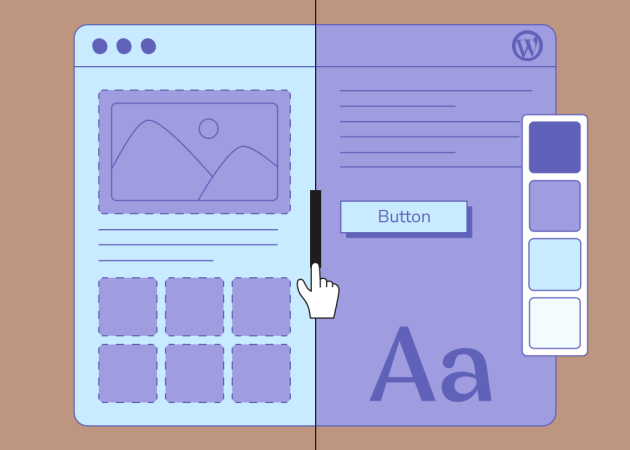
The comparison is between two ways of turning a design into WordPress pages: code written for one specific site, and a visual editing layer that assembles layouts on top of a theme.
A page builder WordPress plugin adds a drag-and-drop layout interface, where every template and stylesheet exists because that site needs it. Nothing reaches the browser to support features the site never uses. Custom WordPress theme development usually pairs this with the block editor or custom fields, so your marketing team can still edit pages without opening a code editor.
A page builder WordPress plugin adds a drag-and-drop layout interface that works on top of almost any theme. Elementor, Divi, WPBakery, and the native Block Editor all follow this pattern, though they differ in how much markup and script they generate to render a finished page.
Builders are now the normal way WordPress pages get assembled. The 2025 Web Almanac from HTTP Archive estimates that around 60% of WordPress sites run one. Elementor has the largest observed footprint at roughly 43% adoption on mobile, more than double the native Block Editor at about 18%. WPBakery (13%) and Divi (10%) follow.
Comparisons of the best WordPress page builders focus on the editing experience, which matters daily. An Elementor vs custom theme decision belongs one level below, in what each approach sends to the visitor. That is where WordPress performance differences originate.
What Independent WordPress Performance Testing Typically Shows
Field data collected from real Chrome users places WordPress below the platforms that restrict customization, with a wide spread inside WordPress itself.
In the same Web Almanac report, 45% of WordPress origins passed all three Core Web Vitals on mobile, around four points better than the year before. Duda reached 85% and Wix 74%, both platforms that limit how much a site owner can change.
The pattern behind the ranking is more useful than the ranking itself. HTTP Archive attributes that variance more to configuration than to core limitations, which means the approach you choose sets a ceiling while the discipline of the build decides where you land beneath it.
Core Web Vitals and Lighthouse Scores
Core Web Vitals are the three field metrics Google uses to describe how a page behaves for real visitors. Google Search Central sets the thresholds at Largest Contentful Paint (LCP) within 2.5 seconds, Interaction to Next Paint under 200 milliseconds, and Cumulative Layout Shift (CLS) below 0.1.
Google also states that Core Web Vitals are used by its ranking systems, and that good scores do not guarantee a page will rank at the top. The practical read is to treat the thresholds as a floor to clear, then put the remaining effort somewhere it earns more.
Lab tools answer a narrower question. A WordPress speed test in Lighthouse or GTmetrix runs one page over one connection, which makes it useful for diagnosing a bottleneck but unreliable as a verdict on the whole site. A GTmetrix WordPress report that looks healthy on desktop can sit alongside failing field data on mobile.
The 2025 Web Almanac puts WordPress at a median Lighthouse performance score of 41 on mobile against 63 on desktop. That gap shows how much mobile conditions magnify a heavy page.
Page Weight, DOM Size, and Plugin Dependency
Most of the measured difference comes from architecture: how much markup a page produces, and how many assets load alongside it.
Builders wrap layouts in nested containers to support visual editing. Lighthouse warns when a page body passes roughly 800 nodes and reports an error above about 1,400, because a large DOM lengthens style calculation and layout work in the browser. Nested builder rows and columns reach those numbers faster than templates written for one layout.
The median WordPress page in the 2025 Web Almanac transferred 2,894 KB on mobile, with CSS at 119 KB, the second highest among the platforms measured. WordPress was among the lightest in that group in terms of total weight, so the heaviest pages belong to individual builds.
Plugin dependency accounts for much of the rest. Sliders and forms usually arrive as companion plugins, and each tends to load its assets site-wide unless someone configures it otherwise. A custom theme can absorb that functionality into the theme itself, so those features become part of the build instead of separate dependencies to track and update.
Server Response and Overall Page Efficiency
Server response time sets the floor for every page speed number that follows. web.dev treats a Time to First Byte (TTFB) of 0.8 seconds or less as good and anything above 1.8 seconds as poor, while noting that TTFB is a rough guide.
Page builders add to that number when the server has to resolve nested layout data before it can output HTML. Caching hides most of that work, and only where caching applies. Logged-in sessions and cart pages bypass the cache, which is why the difference often surfaces first on WooCommerce checkouts. Image handling and asset loading can be tuned on an existing build through WordPress performance optimization. The volume of markup a builder produces for each page is harder to reach that way.
On a brochure site with modest traffic, a heavier render path costs very little. On a catalog with thousands of URLs and frequent crawling, the same overhead repeats across every request and starts showing up in hosting capacity.
When Performance Differences Actually Matter for the Business
Performance differences matter most when search visibility or transaction volume turn a fraction of a second into money.
Checkout and account pages run uncached by design, so the render cost that caching hides elsewhere is exposed exactly where customers are deciding whether to finish. Product listings with filters add the same load on the busiest templates you own, which is why theme decisions on an eCommerce build carry constraints a brochure site never meets.
Search-led businesses have a second reason to care. If most of your pipeline arrives through organic search, Core Web Vitals feed a system you do not control, and mobile is where WordPress sites most often fall short of the thresholds.
Audience conditions matter as much as page design. A visitor on a mid-range phone and a congested network experiences a heavy page very differently from a reviewer testing it on office wifi, which is the gap the mobile and desktop Lighthouse medians describe.
The reverse case deserves equal weight. For a ten-page site with a few hundred monthly visitors and no transactions, the same performance gap is largely academic, and the budget usually does more good elsewhere.
More insights on custom WordPress development:
- Why Custom WordPress Development Still Matters in 2026
- The Hidden Price Tag of Cheap WordPress Development
When a Page Builder Is Still the Right Choice
Publishing speed and editorial independence sometimes matter more than the last fraction of a second in load time, and a page builder is the right call when they do.
Marketing teams that ship landing pages weekly are the clearest case. Waiting on a developer for a campaign layout costs real momentum, and a builder removes that dependency for the pages that change most often.
Early-stage products still testing a proposition often need a credible site within weeks, and a durable platform can wait. Rebuilding later on better information is a reasonable plan.
HTTP Archive notes that newer releases add conditional asset loading and make lighter use of shortcodes, which helps, though it does not completely erase the gap between builder-heavy sites and more tightly controlled builds.
Comparisons such as Divi vs Elementor performance are worth reading at this stage. Two carefully configured builders sit closer together than a disciplined build and a careless one on either approach.
Templated, high-traffic pages can run on a WordPress custom theme while a builder covers campaign pages that change weekly, provided someone owns the boundary between them. Agencies making this call repeatedly tend to formalize it, which is where our white-label WordPress development work usually starts.
Where a Custom WordPress Theme Earns Its Cost Over Time
The build decision keeps costing money long after launch, through update work and through what it takes to change the site later.
Start with the update surface. A builder site carries the builder and its companion plugins on top of the theme underneath, and each major release can require layout QA across templates. That work stays predictable when it is planned as ongoing WordPress maintenance rather than handled release by release. A custom theme concentrates that surface into code your team controls, cutting the number of release schedules that can break a page.
Builders store layout data in their own format, so moving away usually means rebuilding pages rather than migrating them. HTTP Archive notes that older builders in particular created long-term maintenance and lock-in problems, and those costs tend to surface during a redesign that already has a deadline.
Scalability follows the same logic. Adding a new content type to a builder site often means rebuilding a layout by hand on every page, while a themed template applies the change once across all of them.
Ownership costs do not automatically favor a custom theme. An undocumented theme that only one developer understands can be harder to inherit than a well-organized builder site, so maintainability depends on clean code and documentation rather than on the label attached to the approach. That is the honest version of the total cost of ownership (TCO) comparison.
Choosing Between WordPress Theme Development and a Page Builder
The decision comes down to how often the site changes and how much revenue depends on it. Who maintains the site afterward carries similar weight. A few questions make the trade-off concrete:
- Ask how often the site really changes. Pages that change weekly reward editorial independence. Templates that change once a year reward tight code.
- Put a number on what speed is worth. Estimate the revenue that moves through your top ten pages. That figure tells you what raising a performance ceiling is worth, which no benchmark table can.
- Name the maintainer before you build. An in-house marketer and a retained partner suit different setups, and choosing without naming one is how sites drift.
- Plan the exit at the start. Ask what a redesign in three years would involve under each approach.
- Decide per template. High-traffic templates and campaign pages can follow different rules within the same build.
Planning for Long-Term WordPress Performance From Day One
Most of a website’s eventual performance is settled before development starts, in decisions about design and content structure.
Setting a performance budget at the design stage is the cheapest version of this work. Deciding that a hero section has a weight limit costs a conversation early and costs a rebuild later. A content model built around reusable components leaves fewer one-off templates to maintain, whichever approach you pick.
At Beetweb, we usually start with a WordPress audit of the current setup before recommending anything. The audit separates structural limits from cosmetic ones and shows what today’s site costs to run, so the comparison rests on measured problems instead of a general preference for one approach.
We plan for the handover as well, since documentation and a maintenance path matter as much as the launch benchmark. The team that inherits the site has a large say in whether its performance holds up as the business grows.
The Best-Performing Site Is the One Your Team Can Sustain
The custom WordPress theme vs page builder comparison has no universal right choice, and benchmark tables that suggest otherwise measure one variable in isolation. A custom theme gives you control over what the browser receives, which pays off when traffic and search visibility make that control worth funding. A page builder buys delivery speed and editorial independence, which a small team may reasonably value more than a second of load time.
What holds across both is that the outcome depends on how carefully the site is built and maintained, and on whether the approach matches what your organization can support. Performance data informs that decision without making it for you.
If you are weighing a rebuild and want the performance question answered against your own site’s data first, let’s talk.
FAQs
Are custom WordPress themes faster than page builders?
Custom WordPress themes are usually faster than page builder pages, because a custom theme loads only the code that one website actually uses. Page builders generate additional DOM elements and load broader CSS and JavaScript bundles to support their visual layout layer. The difference narrows when a page builder site is carefully configured and widens when a custom theme is poorly built.
Do page builders negatively affect Core Web Vitals?
Page builders can affect Core Web Vitals, mainly by increasing DOM size and adding render-blocking CSS and JavaScript that delay Largest Contentful Paint. The size of that effect depends on the builder version and its configuration, since newer releases load assets conditionally and produce less markup than earlier shortcode-based versions.
When is a page builder a better choice than a custom WordPress theme?
A page builder is the better choice when a marketing team needs to publish and edit pages without developer involvement, or when the timeline and budget rule out custom development. Campaign sites and early-stage products fit this profile, particularly where the site is expected to be replaced within a few years.
Does a custom WordPress theme improve SEO?
A custom WordPress theme can support SEO indirectly, by improving Core Web Vitals and producing cleaner HTML for search engines to parse. Google states that Core Web Vitals are used by its ranking systems, though good scores alone do not guarantee higher rankings. Content relevance still carries the primary weight in search results.
How should businesses choose between a custom theme and a page builder?
Businesses should choose between a custom theme and a page builder based on how often the website will change and how much revenue depends on its performance. Beetweb approaches this decision by auditing the existing setup first, so the recommendation rests on measured problems.
Subscribe to blog updates
Get the best new articles in your inbox. Get the lastest content first.

Recent articles from our magazine


Contact Us
Find out how we can help extend your tech team for sustainable growth.