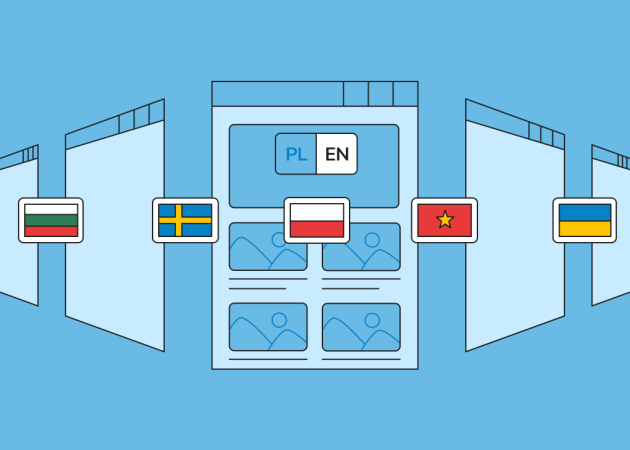

Squarespace to WordPress Migration Services
Beetweb helps businesses complete a Squarespace to WordPress migration through a structured, remote process. We plan each step to carry over your content and media and set up the SEO basics, so your new website is ready to grow with you.
-
 Top 1%
of Software Developers on Clutch
-
 10+ years
on the market
-
 250+
satisfied clients around the world
-
 1000+
successfully delivered projects
Comprehensive Squarespace to WordPress Migration Coverage
When you migrate from Squarespace to WordPress, the goal is more than moving pages. A careful migration keeps your content and functionality in place while giving you a website that is easier to extend and maintain.
-

Content and Media Transfer
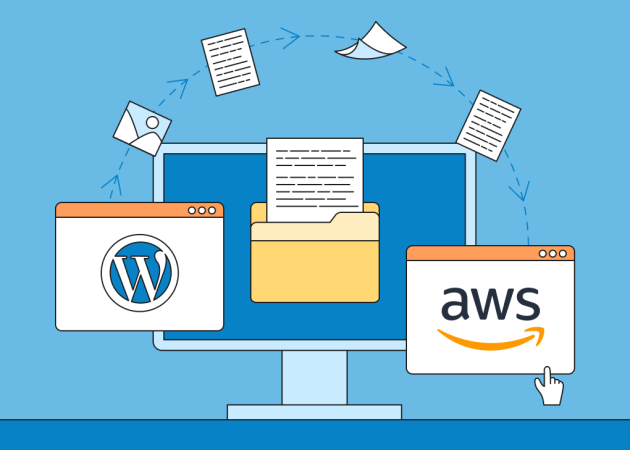
We plan the move with a content inventory, then export Squarespace to WordPress for pages and blog posts, and transfer images and store products separately. After we import Squarespace to WordPress, we check the results and rebuild anything the export doesn’t cover.
-
Design and Customization
Squarespace designs don’t transfer in one click, so we assess your current layout and recreate or adapt it through custom WordPress website design, with responsive layouts and custom functionality where needed. We also look for ways to make the site easier to maintain.
-
Search Basics Set Up in Yoast
Squarespace SEO settings stay with the platform, so we set them up fresh in Yoast SEO: permalinks, title and meta description templates, breadcrumbs, an XML sitemap, and your analytics code. Keywords can be added on request.
-
Forms, Tools and Integrations
Squarespace forms, scheduling, member areas, and connected tools are inventoried and assessed one by one. Each is reconfigured, replaced with a WordPress equivalent, or rebuilt with custom plugin development where no suitable one exists.
Want a clear plan before you migrate Squarespace to WordPress?
Common Squarespace to WordPress Migration Challenges (and How We Solve Them)
Squarespace offers a WordPress-compatible export, but it covers only part of a typical site. Knowing what gets left behind helps us plan the work before anything is missed.
-
A Partial Native Export
Squarespace’s export includes basic pages, one blog, gallery pages, and text, image, and embed blocks. Other content, along with design and custom code, doesn’t come through. We inventory the full site during discovery and plan how each remaining element will be moved or rebuilt.
-
Only one blog exports
If your site has more than one blog, such as news, resources, and case studies, Squarespace exports only one of them. We move the remaining blogs separately and keep their categories, tags, and authors intact.
-
Images Still Hosted on Squarespace
After a standard import, many images still load from Squarespace’s servers rather than your WordPress media library. We download and re-host every image, keep alt text in place, and optimize file sizes, so nothing breaks once your Squarespace plan ends.
-
Store, Event, and Media Content
Product, event, and album pages, as well as audio, video, and product blocks, aren’t included in the export. We move store products into WooCommerce, rebuild events and galleries with suitable WordPress tools, and re-embed audio and video content.
-
Built-In Tools Without a Direct Equivalent
Squarespace Scheduling, member areas, newsletter forms, and code injection are part of the platform and don’t transfer. We keep tools that can be embedded in WordPress and replace the rest with plugins or custom functionality that fit how your team works.
-
Layout and Design Differences
Squarespace templates and Fluid Engine layouts have no WordPress export format. We rebuild your design as a custom theme or block-based build that keeps your visual identity, with room to improve what isn’t working.
Want to know what your Squarespace export will leave behind?
Our 5-Step Migration Process
A structured process helps us spot risks early, organize each part of the move, and verify the finished website. Here’s how our WordPress migration services approach a Squarespace project.
-
Step 1: Discovery and Website Audit
We review your Squarespace website, including its content, URL structure, design, integrations, and domain setup. This helps us identify dependencies, constraints, and potential risks before implementation begins.
-
Step 2: Migration Planning
We define the migration scope, content and URL mapping, design approach, integration requirements, and validation criteria. If you plan to transfer Squarespace domain to WordPress hosting, we include the domain and DNS steps in the plan.
-
Step 3: WordPress Setup and Implementation
We prepare the WordPress environment, typically on a staging site, and implement the agreed design and functionality. Content and media are transferred using the methods that suit your source website.
-
Step 4: Quality Assurance
We verify migrated content, responsive layouts, forms, integrations, and the basic Yoast SEO setup before launch.
-
Step 5: Launch and Post-Migration Verification
We coordinate the launch, check key website functions, and monitor for migration-related issues. Any post-launch support follows the scope agreed in your plan.
Tell us about your website, and we’ll help you map out the right migration approach.
Why choose our WordPress migration experts
Weighing Squarespace vs WordPress is only the first decision. The move itself touches content, design, URLs, and integrations at once, and specialist planning, custom development, and structured QA help you get through it with fewer surprises.
-
WordPress Development Experience
Our team builds and supports custom WordPress websites, from content-heavy corporate sites to online stores built through WooCommerce development. This lets us rebuild features that don’t transfer automatically.
-

Structured Planning and Communication
Each migration follows an agreed plan with a defined scope, milestones, and validation criteria. You know which stage the project is in and who to talk to.
-

Built-In Tools, Thoughtfully Replaced
Scheduling, member areas, store features, and forms each get a considered WordPress solution, chosen for how your team uses them day to day. Where an existing plugin doesn’t fit, our developers build the functionality you need.
-
Maintainability and Post-Launch Support
We build with long-term upkeep in mind, so your site is easier to update after launch. Ongoing WordPress maintenance can then cover WordPress core and PHP updates, vulnerability scanning, regular backups, uptime monitoring, performance audits, and monthly reports, depending on the plan you choose.
Cooperation Models
Choose the collaboration model that fits the scope of your migration and your ongoing development needs. Both options give you direct access to WordPress specialists who know your project.
-

Dedicated Teams
Ongoing collaborationA dedicated team of WordPress professionals, including dedicated WordPress developers, works as an extension of your team on an ongoing stream of migration, development, and improvement tasks. This model suits businesses with evolving priorities.
-

Project Solutions
Defined scopeA project-based engagement with a defined scope, deliverables, and agreed milestones. It suits businesses that want to convert Squarespace to WordPress as a specific project with clearly defined requirements.
Our Work
These selected projects show WordPress capabilities that carry over to migration work, from content transfer and restructuring to custom WooCommerce builds, integrations, and ongoing support.


Contact Us Form
Tell us about your current Squarespace website, including its size, store, and integrations, and we’ll prepare a migration consultation and estimate tailored to your project.